Refine team tactics with timeline markers, demo review and workshop scripting
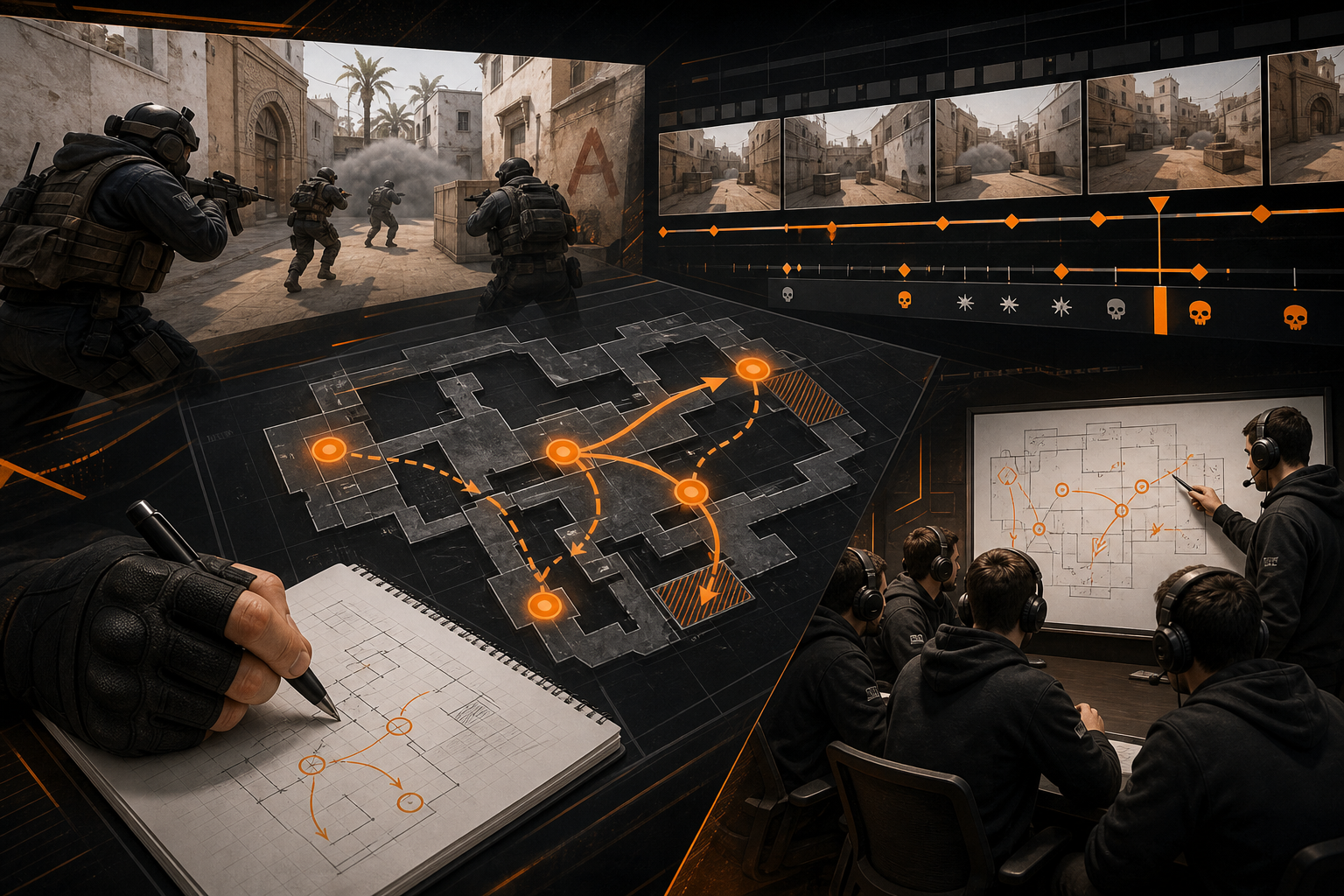
Competitive teams often talk about “communication issues” or “bad reads” when a matchweek or sprint goes sideways, but that framing is usually too vague to be useful. In practice, the more productive move is to reconstruct the sequence of events, review the demo as a conversation, and turn the workshop into a repeatable operating procedure. That combination gives teams a better way to understand what actually happened before they start arguing about what should have happened.
For eSports teams, platform engineers, and competition staff, this matters because timing, dependencies, and latency-sensitive decisions rarely fail in isolation. A timeline retro can expose when kickoff slipped, when a server change landed, when a demo surfaced a mismatch, or when staffing changed the shape of the work. Once those moments are visible, demo review and workshop scripting can move the team from blame to specific, testable action.
Start with chronology, not opinions
The first step in any useful retrospective is to rebuild the sequence of events in order. A timeline retro does that by plotting milestones left to right so the team can align on kickoff, demo, incidents, staffing changes, and requirement shifts before debating fixes. That sequence is important because memory is rarely neutral under pressure, especially after an outage, a bad build, or a failed tournament day.
When teams add timeline markers, vague frustration becomes concrete. Instead of saying “the network was flaky,” the group can pin down when packet loss started, which scrim or deployment it affected, and what changed immediately before the issue surfaced. That specificity makes causality discussable and reduces the usual drift into memory-based blame.
This approach is especially valuable in high-variance work such as incident-heavy releases, major tournament operations, and live infrastructure changes. SprintPulse notes that a timeline-based retro can be a better fit than a simple Plus/Delta session when the team has had a serious incident. In those cases, the chronology itself is the artifact that keeps the discussion honest.
Use timeline markers to expose dependencies
Timeline markers do more than label events; they reveal dependencies across teams and systems. Atlassian’s retrospective guidance frames timelines as a way to keep teams in sync with stakeholders by showing releases, work items, and dependencies on one shared view. For competitive gaming operations, that shared view can include code deploys, rule-set updates, observer tooling changes, and content deadlines.
A strong marker set also helps teams compare intended flow against actual flow. One 2026 retrospective article recommends reviewing the original scope and success criteria alongside what actually shipped. That comparison matters because a project can appear “on track” in meetings while drifting from the conditions that were supposed to define success in the first place.
There is also a practical benefit for handoffs. When support, infrastructure, and content teams all point to the same sequence, they can locate where the handoff broke down rather than re-litigating every prior conversation. In that sense, the timeline becomes a coordination tool, not just a meeting visual.
Reconstruct the sprint or event like a replay
Recent retrospectives increasingly use “timeline replay” to surface patterns that standups miss. The basic idea is simple: reconstruct the sprint or event chronologically and let the data tell the story day by day. That approach works well in eSports operations, where a chain of small decisions can produce a large downstream effect on latency, readiness, or competitive fairness.
Chronological milestone lists are now a common workshop artifact for exactly this reason. A practical sequence might be kickoff, architecture decisions, first demo, integration, testing, release, and first week in production. For a tournament or live service environment, the same pattern can be adapted to rehearsal, server provisioning, matchday validation, incident response, and post-event stabilization.
Some newer scripts even add event ratings to each milestone, marking highs, neutrals, and lows on the timeline. That light layer of scoring helps the team identify which moments deserve deeper analysis without turning the exercise into a subjective referendum on the whole project. It is a simple way to separate signal from noise.
Make demo review an actual feedback conversation
Demo review should not be treated as a polished presentation where stakeholders passively watch a reveal. PMI’s Disciplined Agile guidance is explicit that a product demo is a conversation with stakeholders about what was done and what to do next. That framing changes the purpose of the meeting: the goal is not performance, but fast alignment.
For teams trying to reduce rework, early demos are more valuable than late demos. PMI emphasizes that it is better to demo early and receive constructive feedback early than to discover mismatches later that turn into technical debt. In competitive gaming terms, that can mean showing an interface, workflow, or server behavior while there is still time to adjust the design before matchday constraints lock it in.
Demo cadence also needs to stay flexible. PMI notes that demos can happen whenever a feature or story is ready and stakeholders are available, rather than being chained to iteration boundaries. That flexibility is useful when a feature reaches a meaningful checkpoint, or when a live operations issue needs immediate stakeholder input before the next scheduled review.
Script the demo so complex work stays visible
Multi-person demos work best when the flow is scripted. GitLab’s handbook recommends that the demo owner break the intended outcome into smaller procedural steps and capture them as demo steps. That practice makes the demo repeatable, easier to hand off, and less likely to lose the plot when several people are involved.
Assigning a DRI for each demo track is equally important. GitLab’s process calls for a functional team leader to own each track so the team does not fall into the classic “everyone owns it, no one owns it” problem. In a distributed eSports or platform environment, that role clarity prevents the demo from becoming a chain of assumptions.
Structured demo scripting also improves how teams present high-risk or infrastructure-heavy work. If the track includes observability, latency, match orchestration, or rollback behavior, a scripted path ensures the audience sees the specific control points that matter. That is much more valuable than a generic tour of screens and dashboards.
Build the workshop script around accountability
Modern retrospective guidance increasingly treats accountability as something you design into the workshop, not something you hope appears later. One 2026 retrospective guide says the output should be one to three action items with owners and due dates, and that the previous retro’s actions should be reviewed at the start of the next session. That creates continuity and prevents retros from becoming a cycle of insight with no follow-through.
Another recent guide frames action tracking as a contract rather than a checklist. That distinction matters because a checklist implies completion is optional, while a contract makes commitment visible to the group. Time-boxing each section of the workshop reinforces that discipline by keeping the team moving from review to analysis to action without lingering too long in any one phase.
Recent kits increasingly bundle the format, facilitator script, and action tracker together for exactly this reason. The Hunger Engine’s starter kit, for example, combines a retrospective format with a facilitator script and action tracking so commitments are recorded and revisited. The practical effect is a workshop that produces decisions, not just discussion.
Protect psychological safety while staying direct
A scripted workshop should not feel rigid or punitive. GoalPath’s facilitator guidance is useful here because it warns that hedging, deflection, or avoidance can signal the room does not feel safe enough for honest feedback. If participants are softening every statement, the script may be technically thorough but socially ineffective.
That means the facilitator has to make the process direct without making it hostile. Timeline markers help because they move the conversation away from generalized judgment and toward observable moments. Instead of asking who failed, the facilitator can ask what happened at a specific point, what signals were available, and which decision changed the outcome.
Shared chronology can also strengthen identity, not just analysis. Naboo’s 2026 team timeline activity reconstructs key moments in team history on a visual timeline, reinforcing the value of shared context. That same principle applies to retrospectives: when people agree on the sequence, they are more likely to discuss the work rather than defend their recollection.
Adapt the method to incidents, releases, and live operations
Not every workshop needs the same structure. Timeline-based retros are especially effective when the team has experienced a serious incident, a high-stakes release, or a matchday disruption where sequencing matters more than general sentiment. In those cases, the team should prioritize what happened, when it happened, and what changed immediately before the failure or success point.
That adaptation is particularly relevant in live infrastructure work. A latency spike, a misconfigured service, or a late requirement shift often interacts with staffing and deployment timing in ways that are easy to miss in a standard discussion. A timeline retro helps isolate those interactions before they become repeat patterns.
The same logic applies to demo review in production-like environments. If a feature demo reveals an integration gap, the team should capture the event as part of the timeline, not treat it as an isolated surprise. That makes the retrospective more useful because it connects the demo outcome to the operational chain that produced it.
Close the loop with visible follow-up
The best retrospective or workshop script ends with commitments that can be checked later. That is why the strongest recent guidance recommends ending with committed action items, owners, and due dates instead of leaving the team with only observations. If there is no follow-up mechanism, the timeline becomes a historical record rather than a management tool.
A clean close also makes the next session easier to run. Reviewing prior actions at the start of the next retro creates continuity and lets the team measure whether the agreed changes actually influenced the next sprint, event, or release. That discipline is especially valuable in eSports operations, where recurring issues can hide behind changing lineups and short event cycles.
Ultimately, timeline markers, demo review, and workshop scripting solve the same problem from different angles: they make complex work visible, discussable, and accountable. When teams reconstruct events chronologically, treat demos as feedback conversations, and script the workshop around explicit ownership, they replace guesswork with operational clarity. That is the foundation for better tactics, lower rework, and faster adaptation under pressure.
For teams working in competitive gaming and live infrastructure, that clarity is not administrative over. It is part of the performance stack. The better the team can see what happened, the faster it can refine how it will act next time.